Filter Clothes by Body Shape and Shop Faster
A filter clothes by body shape feature narrows a marketplace’s entire catalog down to the items that match your saved size profile, so you and your family stop scrolling past clothes that were never going to fit. Instead of guessing between a medium and a large on every product page, you shop a smaller list of items already checked against your measurements. Apparel returns tied to bad sizing sit between 20% and 40% industry-wide, and most of that comes down to one thing: shoppers can’t tell what will actually fit until the box arrives.
The filter earns its keep in a few everyday situations:
Personal shopping: browsing a marketplace without re-checking your measurements against every size chart.
Family purchasing: buying for kids or a partner without memorizing four different size systems.
Repeat orders: reordering a favorite brand in a new color without redoing the size math.
Key Takeaways
Filtering clothes by body shape works because it pairs your saved size profile with real product measurements instead of relying on label sizes alone.
Point Details Build a real profile Upload two photos or enter measurements manually, then confirm the suggested numbers before saving. Add every family member Name and save separate profiles for kids, partners, or teens to avoid mixing up sizes at checkout. Watch fabric, not just labels Low-stretch garments like jackets and denim need a manual measurement check even with a high confidence score. Feed the system data Flagging return reasons and letting purchase history accumulate sharpens future filtered results. Try it on Clothme Clothme’s photo-based profiles and multi-family saving turn this guide’s steps into a five-minute setup.
Table of Contents
How Does the Body Shape Filter Match You to Clothes?
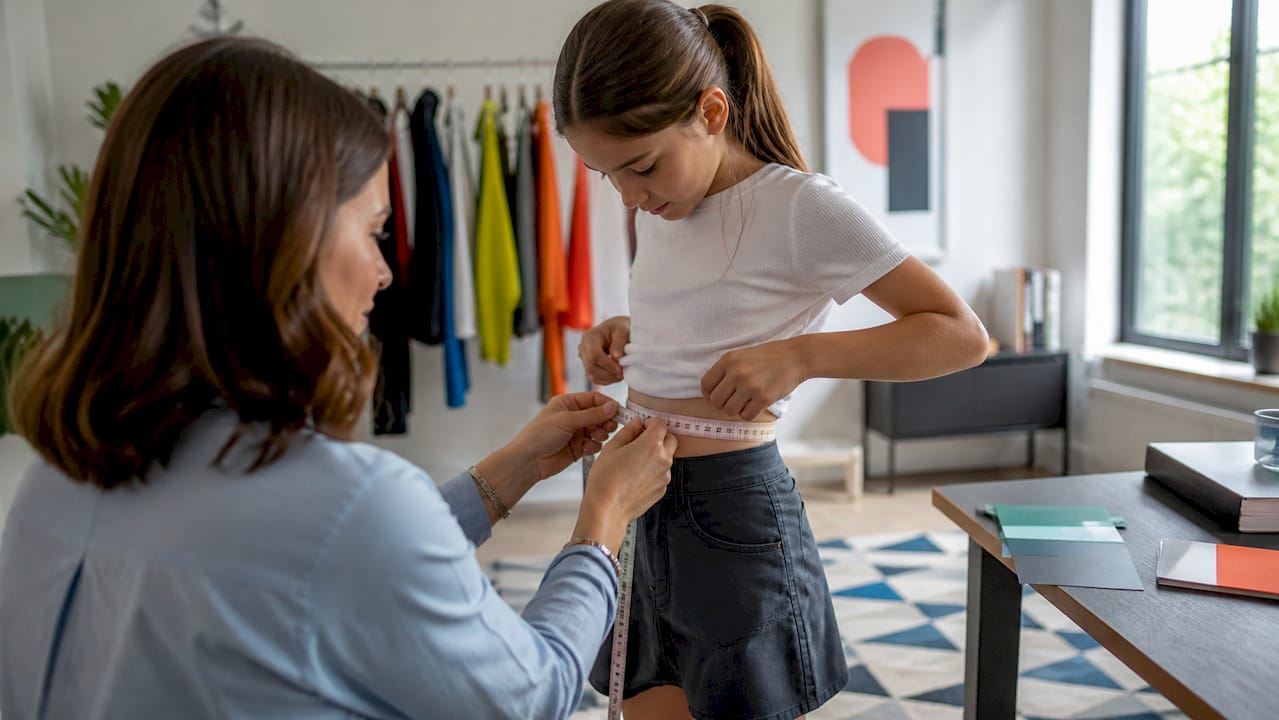
The filter works off a size profile, and that profile gets built from a few possible inputs: two photos that Clothme converts into estimated body measurements, manually entered measurements, and over time, your purchase and return history. Product-side data matters just as much. Clothme also pulls in each item’s actual measurements and size chart, not just the label size, since a size 10 from one brand can run a full size smaller than a size 10 from another.
Matching happens in stages. Your profile gets translated into a set of body measurements, those measurements get mapped against a product’s specific size range, brand-level fit corrections get applied, and the result is a “likely to fit” flag or a filtered list. You’ll usually see this expressed as a confidence score or a “recommended size” badge next to an item, telling you how closely the product’s measurements line up with your profile rather than promising a guaranteed fit.
Photo-derived measurements: your baseline body profile
Manual entries: a fallback or a correction layer
Purchase and return history: a feedback loop that sharpens future matches
Product measurements and size charts: the other half of the equation
Research on marketplace recommendation systems backs up why history matters here: one study found that folding add-to-bag activity into historical purchase data increased the share of shoppers who could receive a usable size recommendation by 24.5%. More signal in, better matches out.
Pro Tip: Let returns count. When you return something and note why (too tight, too long, ran small), that feedback trains your profile faster than photos alone ever could.
How Do You Set Up and Save a Size Profile?
Setting up a profile takes a few minutes, and doing it right the first time saves you from redoing it later.
Open your account and find the size profile section of the marketplace.
Upload two photos, or skip straight to entering your measurements by hand.
Review the suggested measurements Clothme generates and adjust anything that looks off.
Name the profile (your own name, or the family member it belongs to) and save it.
Adding family members works the same way, and naming them clearly matters more than it sounds: “Emma, age 8” is more useful six months from now than “Kid 1,” especially once you’re managing two or three growing children alongside your own profile.
Kids’ measurements shift fast, so refresh a child’s profile every few months, while an adult profile usually only needs updating after a real change in weight or shape. While browsing, you can switch the active profile at checkout and save favorites under whichever profile they belong to, so a shirt you’re eyeing for your teenager doesn’t end up buried in your own wishlist.
Pro Tip: Set a recurring reminder to update kids’ profiles at the start of each season. Growth spurts are the number one reason a “recommended size” badge stops being accurate for children.
How Do You Apply the Filter While You Shop?
Once a profile exists, using it is mostly a matter of flipping a switch. Select your active profile, toggle on a “fits me” filter, and the catalog narrows in real time. You’ll notice a few UI elements as you browse: the fits-me toggle itself, a recommended size badge on individual products, a confidence score showing how strong the match is, and filter chips that let you narrow further by fit type.
The difference from unfiltered browsing is immediate. Search “women’s jeans” without the filter and you might see hundreds of results across every size range. Turn the filter on, and you’re looking at a shorter list where each item’s measurements have already been checked against yours.
Sometimes that list gets too short, or empty. When that happens:
Relax the filter instead of abandoning it entirely.
Broaden your fit preference from “fitted” to “regular” or “relaxed.”
Check whether the brand runs its sizing at the edge of your profile’s range, which can quietly exclude items that would actually work.
Where the Filter Falls Short (and Why That’s Normal)
No profile-based filter can account for everything a garment does once it’s actually on a body, and knowing where the gaps are keeps you from over-trusting a badge. Fabric stretch is the biggest variable. A rigid raw denim jacket and a jersey knit top in the “same” size behave completely differently on the same person.
A controlled study with hundreds of participants found that fit preference alone, meaning whether someone wants a fitted, regular, or loose fit, significantly changes which size a shopper picks, and that effect gets stronger on low-stretch garments like structured jackets. A filter that only knows your measurements and ignores whether you like clothes fitted or loose is capped in how accurate it can get.
A few rules of thumb keep expectations realistic:
Trust the filter more on knits, activewear, and anything with listed elastane or spandex.
Double-check product measurements manually on structured items: blazers, denim, outerwear.
If a listing has recent reviews mentioning “runs small” or “runs large,” weigh that alongside the confidence score.
Remember the 20% to 40% return rate baseline for the industry. Even a strong filter is reducing that risk, not eliminating it.
What Privacy Options Do You Have Beyond Uploading Photos?
You’re not locked into uploading photos to use the filter. Clothme also supports manual measurement entry and, over time, history-based recommendations built from what you’ve bought and kept. Each mode trades a little convenience for a little more privacy, and which one you pick depends on how comfortable you are sharing images versus typing in numbers.
Before uploading anything, check a few settings: where photos are stored, who at the company can access them, and whether you can delete them later. If you’d rather skip photos entirely, manual measurements plus a slowly improving purchase history get you most of the way to the same accuracy.
Photo upload: fastest setup, most precise starting profile
Manual measurements: no images shared, slightly more setup effort
History-based: builds accuracy passively as you shop and return
Pro Tip: Flagging why you returned something is one of the lowest-effort ways to sharpen your profile. It requires no new photos and no extra typing beyond a sentence or two.
Checklist to Get Reliable Fits and Fewer Returns
A few habits, done consistently, cut your odds of a return dramatically more than any single filter setting can.
Compare the product’s actual measurements against your profile numbers, not just the size label.
Note the fabric content and stretch percentage before trusting a tight confidence score on a rigid item.
Look for a confidence score or fit badge, and treat anything below a strong match as worth double-checking.
Skim recent return reasons or reviews for sizing complaints before you buy.
At checkout, confirm your active profile is the right one, especially in a household with multiple saved profiles, and check the recommended size before finalizing. For families, this matters even more: match each child’s profile to the correct garment variant (boys’ vs. girls’ cuts often run differently at the same labeled size), and save frequently reordered items to that child’s profile so next season’s shopping takes minutes instead of an hour. Our kids’ sizing guide and size conversion chart are worth bookmarking for exactly this.
Why We Built It This Way
We built this filter because sizing shouldn’t be the hardest part of buying clothes for your family. Parents juggling three kids’ profiles and their own shouldn’t have to reopen a size chart for every brand. We keep testing the matching logic against real return data and refining it as more shoppers use it, because a size recommendation is only as good as the feedback that shapes it.
Ready to Shop Your Own Filtered Results?
Clothme is built around exactly the problem this guide walks through: matching real bodies to real product measurements before you ever click “buy.” Upload two photos and Clothme generates a size profile in minutes, no manual measuring tape required, though that option is always there if you’d rather skip photos.
The feature that matters most for busy households is the ability to save a separate profile for every family member. One account, multiple profiles, and a single “fits me” toggle that switches instantly between your teenager’s sizes and your own. Every filtered result comes with a confidence indicator, so you’re never guessing whether a badge means “definitely” or “probably.” Privacy controls let you delete uploaded photos at any time, and manual entry remains an option if you’d rather not upload images at all. Create your size profile on Clothme and see how much shorter your next shopping list gets.
Sources
Size recommendation using historical interactions and feedback (arXiv preprint)
How Does Customers’ Fit Preference Impact Apparel Size Selection for Online Shopping? (Peng et al.)